
Module-levelvisual cockpit
Computer vision and image processing precisely recognize and map plant modules, linking inverters and strings to module visuals — turning generation data into intuitive area-and-color insight.
- Modules
- 384
- Views
- 03
- Anomalies
- 06
Three steps to a visual cockpit
From orthophoto upload to a fully bound module layout — three modules connected end-to-end.
- 01STEP 01 / 03Upload orthophoto
Aerial orthophoto + map-tile package, geo-aligned and overlaid as the recognition base.
- 02STEP 02 / 03Generate recognition
AI auto-recognition over the orthophoto, or DXF engineering drawing snapped to map coords.
- 03STEP 03 / 03Create view & link devices
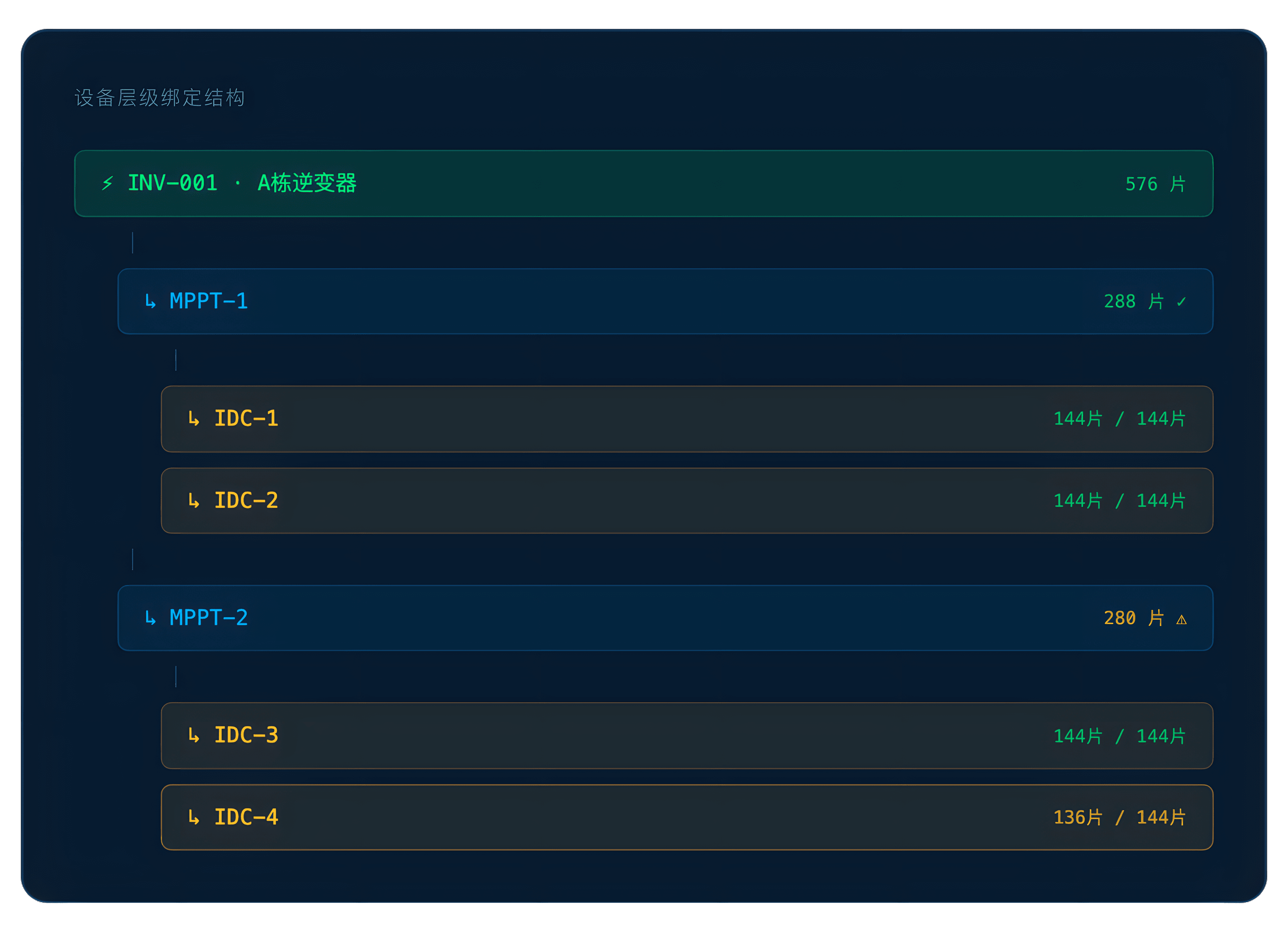
Build a default visual layout, then bind every component into inverter → MPPT → string.
Visual component binding configuration
Recognized visual components are bound to inverter-tier devices, building the bridge between modules and live generation data — the engine behind cockpit visualization.
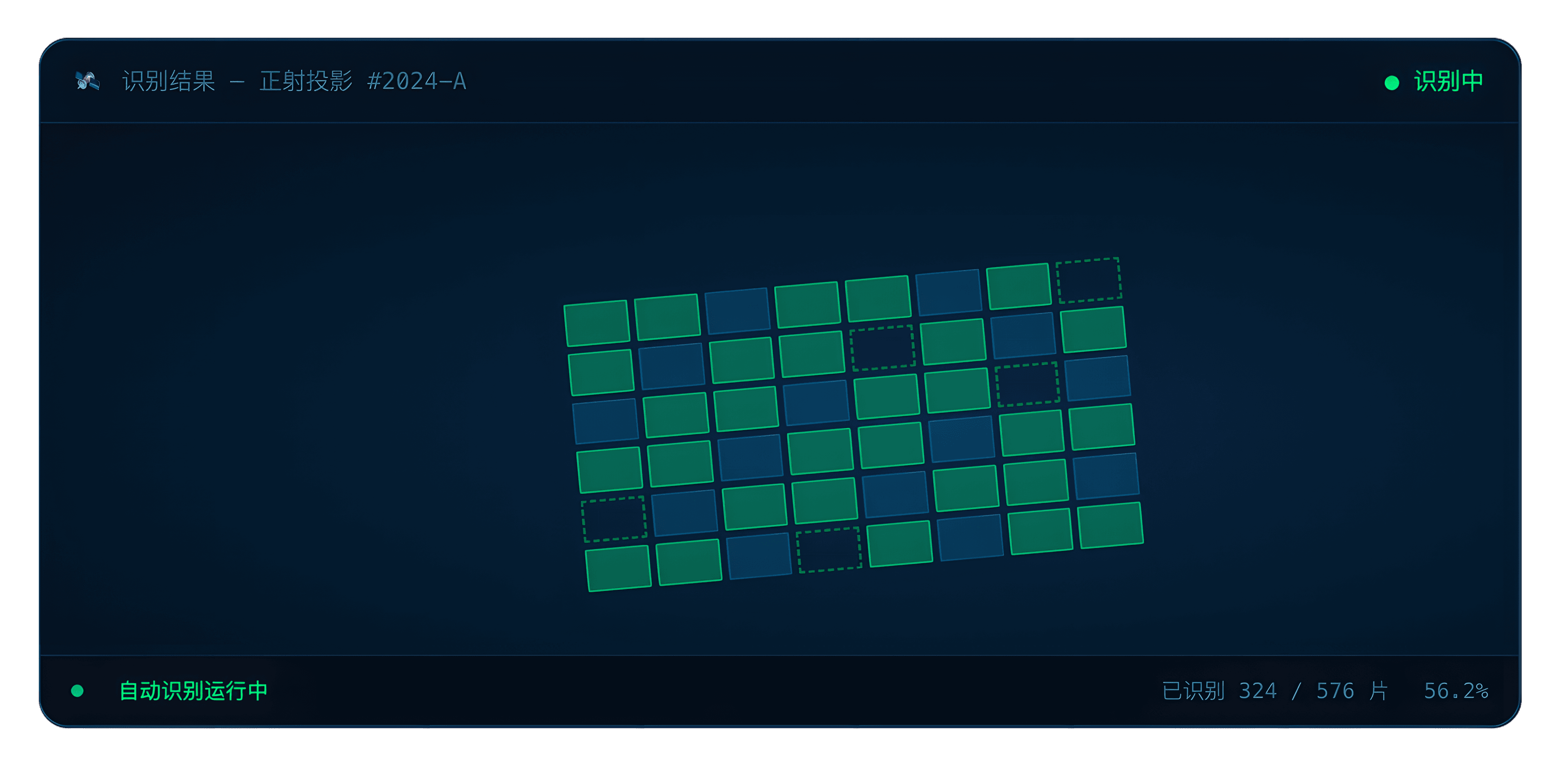
Auto-recognize sub-flow
- Auto-recognize
Click [Auto-recognize] — the system reads the orthophoto and produces a new recognition record with timestamp and module count.
- Result list
Recognition results render as a parent/child tree with name, time, and module count. Edit and delete supported.
- Visual editing
Click a result to reveal its modules on the right. Add, multi-select, move, and delete operations are supported.
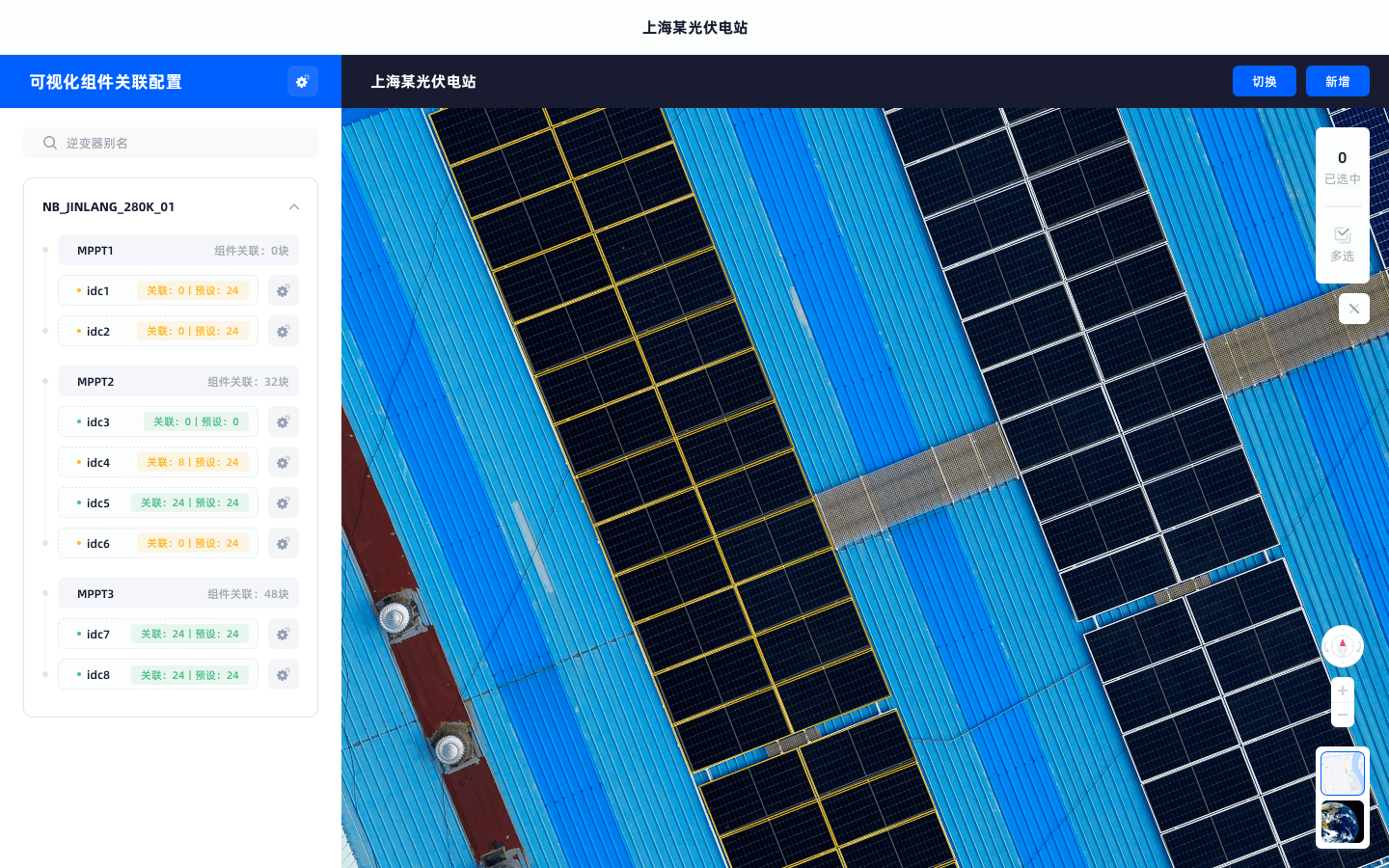
Visual component binding
- Enter binding view
Click [Visual component binding] to open the default view's device-binding page. White borders denote bound components, yellow denotes unbound.
- String binding
Pick a string in the left tree, click [Set] to enter binding mode. Multi-select target modules, click [Bind] — green borders indicate components bound to the active string.
- Count validation
Live indicator compares bound count vs. configured target. Match = green check, mismatch = yellow warning.
Three data views
Full-spectrum plant insight
From inverter efficiency to string-level yield to robot inspection anomalies — module-level data insight from every angle, mapped onto your visual layout.
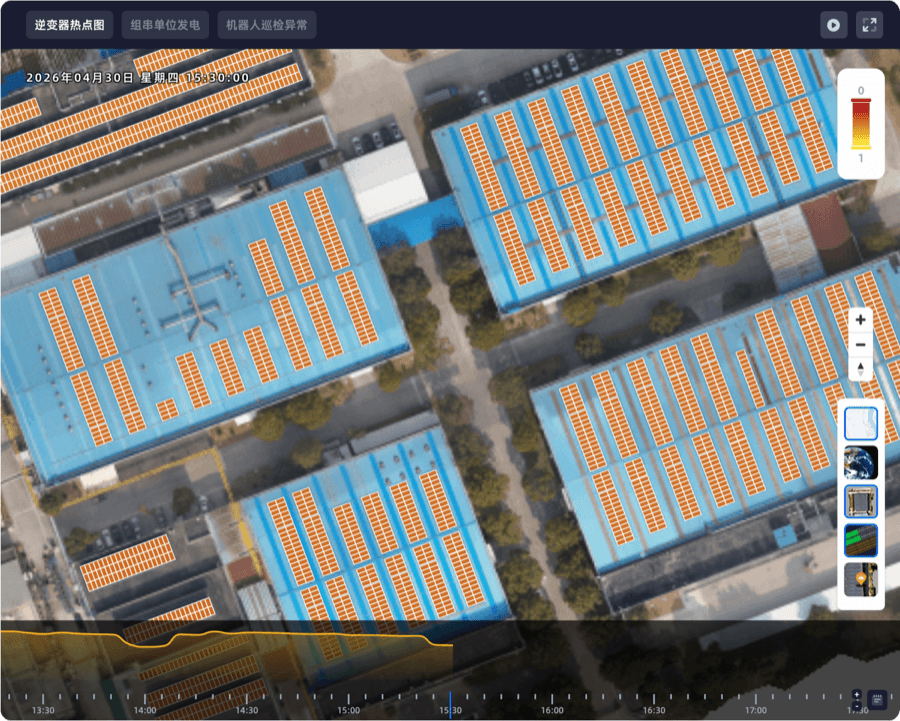
Heatmap data is mapped onto the module view. Color depth reflects efficiency at each timestamp — scrub the timeline, replay, or full-screen to pinpoint underperforming areas.
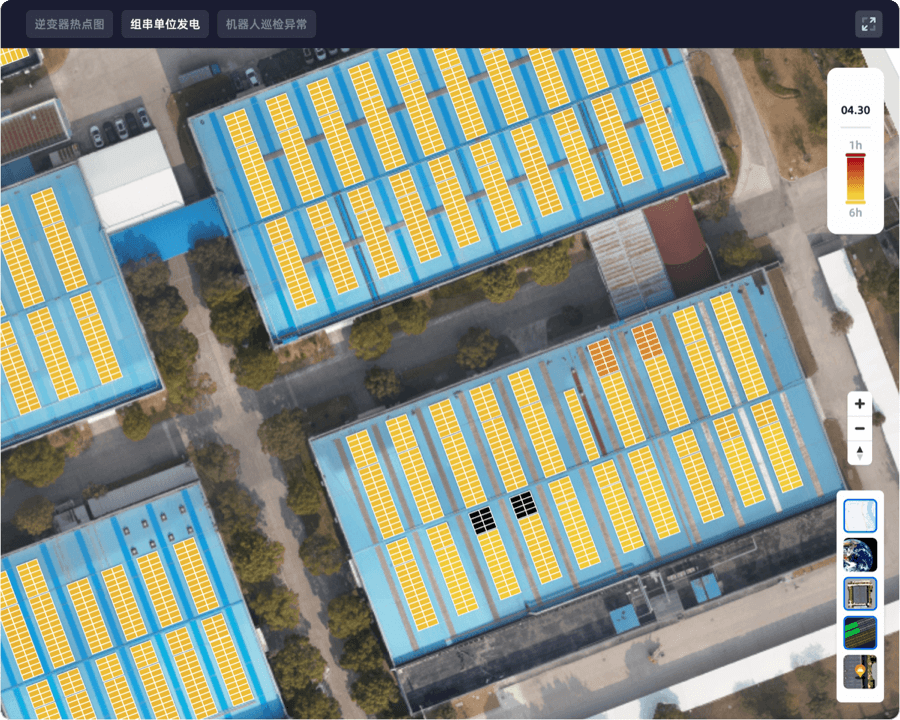
Daily per-string generation visualized — color intensity reflects output, surfacing anomalies and root causes at a glance.
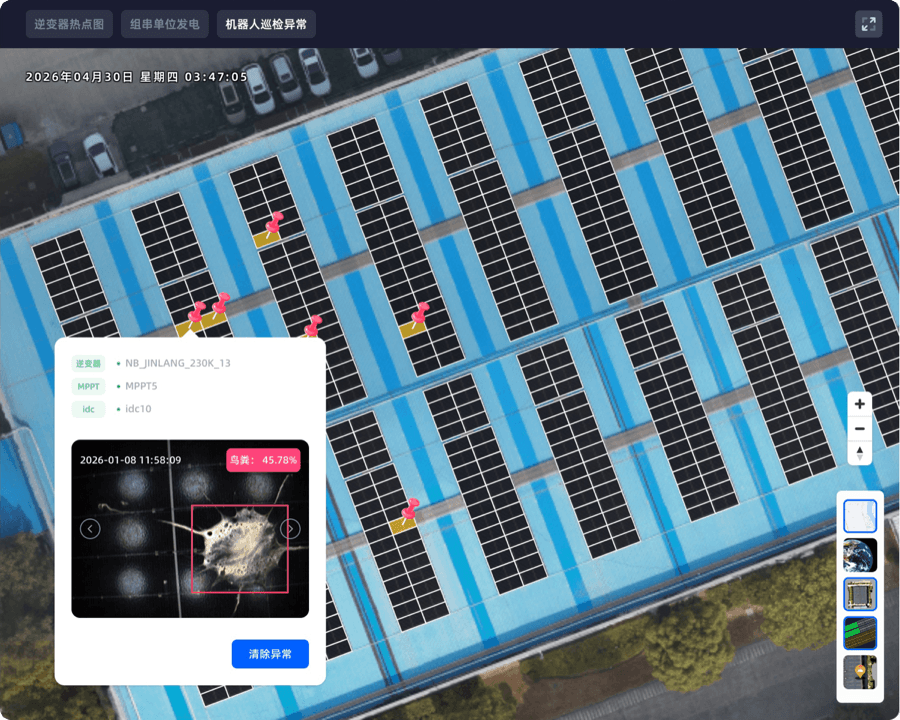
Anomaly imagery captured during cleaning is analyzed and pushed to the platform. Issue type plus exact module location, with one-click [Clear anomaly] to update status.
Frequently asked questions
Scale, granularity, and deployment cycle.
01How does the digital twin reconstruct a 1.4 GWp-scale PV asset view?
02How significant is module-level vs string-level twin?
03How long does modeling take? Is on-site support required?
Start with a single scene
Let AI enter the workflow
Best first plays: alarm triage, trend analysis, weekly/monthly auto-reports — all three deliver results within 14 days.